To withdraw tokens from the Bitkub Exchange website, please follow the instructions below.
1. Log in to your Bitkub account.
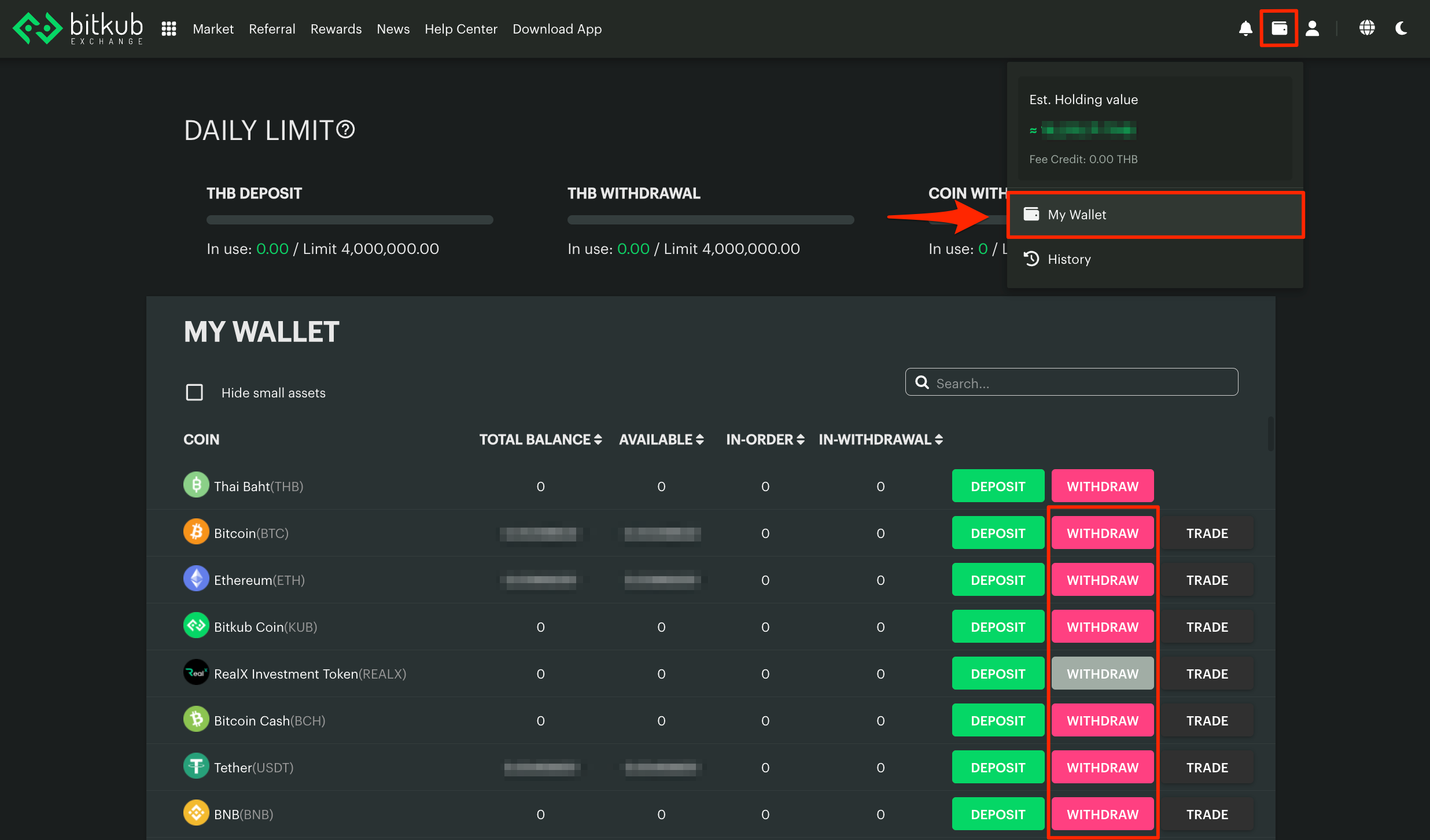
2. From the Homepage, click the WALLET icon at the upper right corner of the screen. Then, choose MY WALLET.
3. Click WITHDRAW at the cryptocurrency you wish to withdraw from your Bitkub wallet.
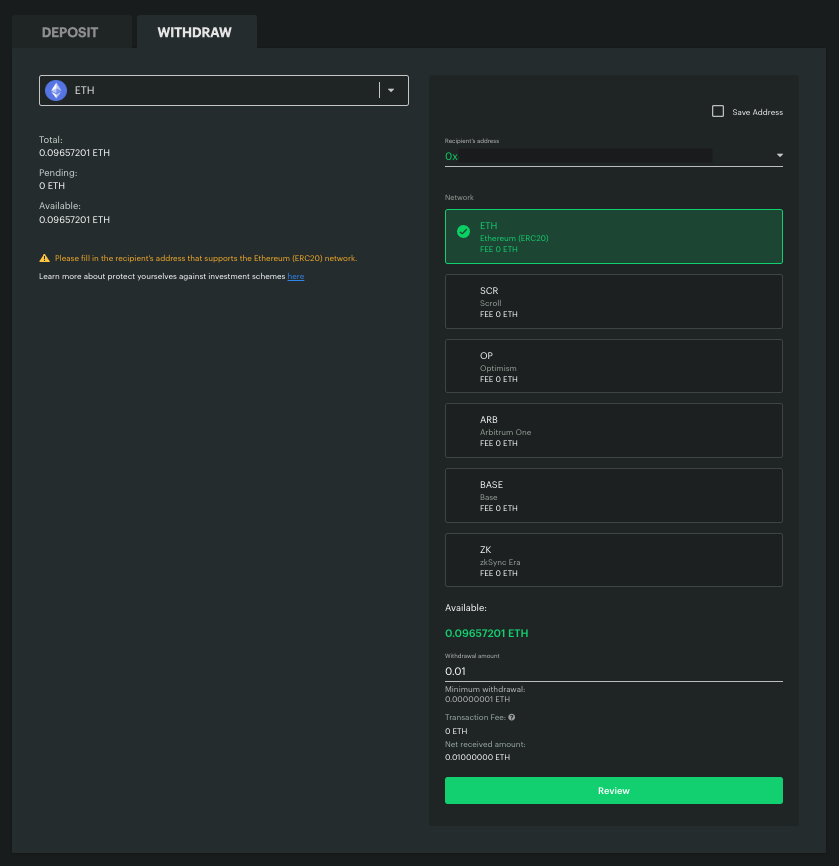
4. Enter the following information correctly.
- A recipient wallet address (a string of English alphabets and numbers that can be checked on your service providers’ platforms). Please make sure to transfer via a network supported by Bitkub Exchange. (For more information about cryptocurrencies listed on Bitkub Exchange and supported networks, please visit this article.)
- Select the network you want to use
- Memo/Destination tag (if any)
- Withdrawal amount
- You can check the fee for each token here (for crypto transfers to non-Bitkub wallets only). The conditions for crypto withdrawals and transfers are detailed in the table below.
Types of Crypto Withdrawals/ Transfers | Transaction Fee | Withdrawal Amount* | Remark |
| Crypto withdrawals between Bitkub wallets (Internal transfer) | No | Equal to or higher than the minimum withdrawal amount, which is 0.00000001 (8 decimal places) | - |
| Crypto withdrawals between a Bitkub wallet to a non-Bitkub wallet (External transfer) | Yes | Equal to or higher than the minimum withdrawal amount of the token as stated under the "Withdrawal amount" field | The sum of the token's minimum withdrawal amount must not exceed your daily limit for crypto withdrawal. |
5. Click the Review button, then the system will ask you to complete the security verification, which can be divided as follows:
If your withdrawal is less than 50,000 THB per transaction, or your daily cumulative amount is less than 200,000 THB (The limit resets at midnight):
- Scenario 1: If the passkey is not activated, you must complete a 3-step security verification: SMS OTP, email OTP, and an authentication code.
- Scenario 2: If the passkey is not activated and you wish to withdraw to a saved address, you can verify the transaction using only SMS OTP.
- Scenario 3: If the passkey is activated, you can verify the transaction using your passkey only. (Please refer to this link for more information about the passkey.)
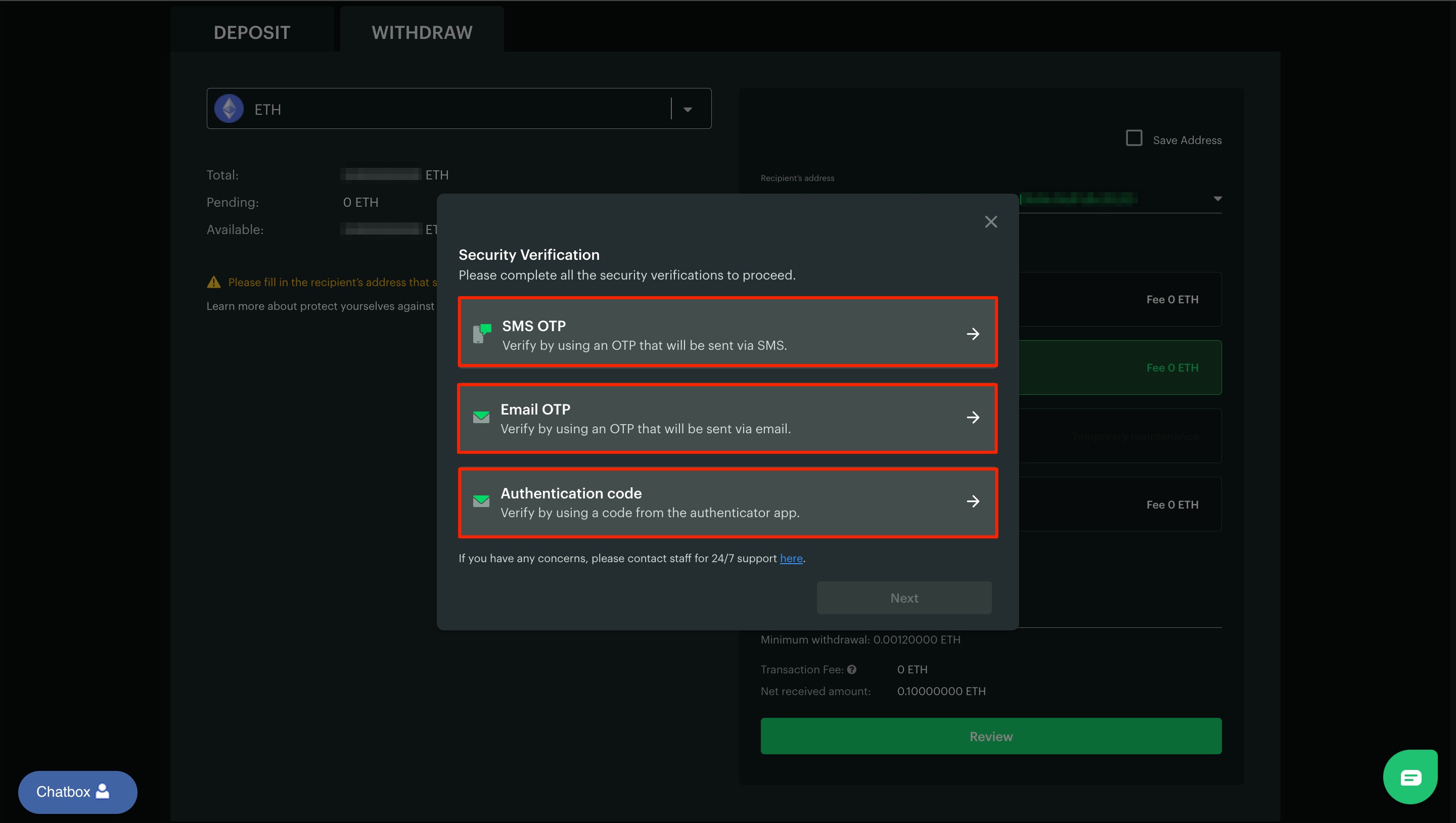 Example of security verification steps without face verification
If your withdrawal is 50,000 THB or more per transaction, or your daily cumulative amount is 200,000 THB or more (The limit resets at midnight):
- Scenario 1: If the passkey is not activated, you must complete a 4-step security verification: SMS OTP, email OTP, an authentication code, and face verification. (Please refer to this link for more information about the face verification.)
- Scenario 2: If the passkey is not activated and you wish to withdraw to a saved address, you can verify the transaction using SMS OTP and face verification.
- Scenario 3: If the passkey is activated, you can verify the transaction using your passkey and face verification.
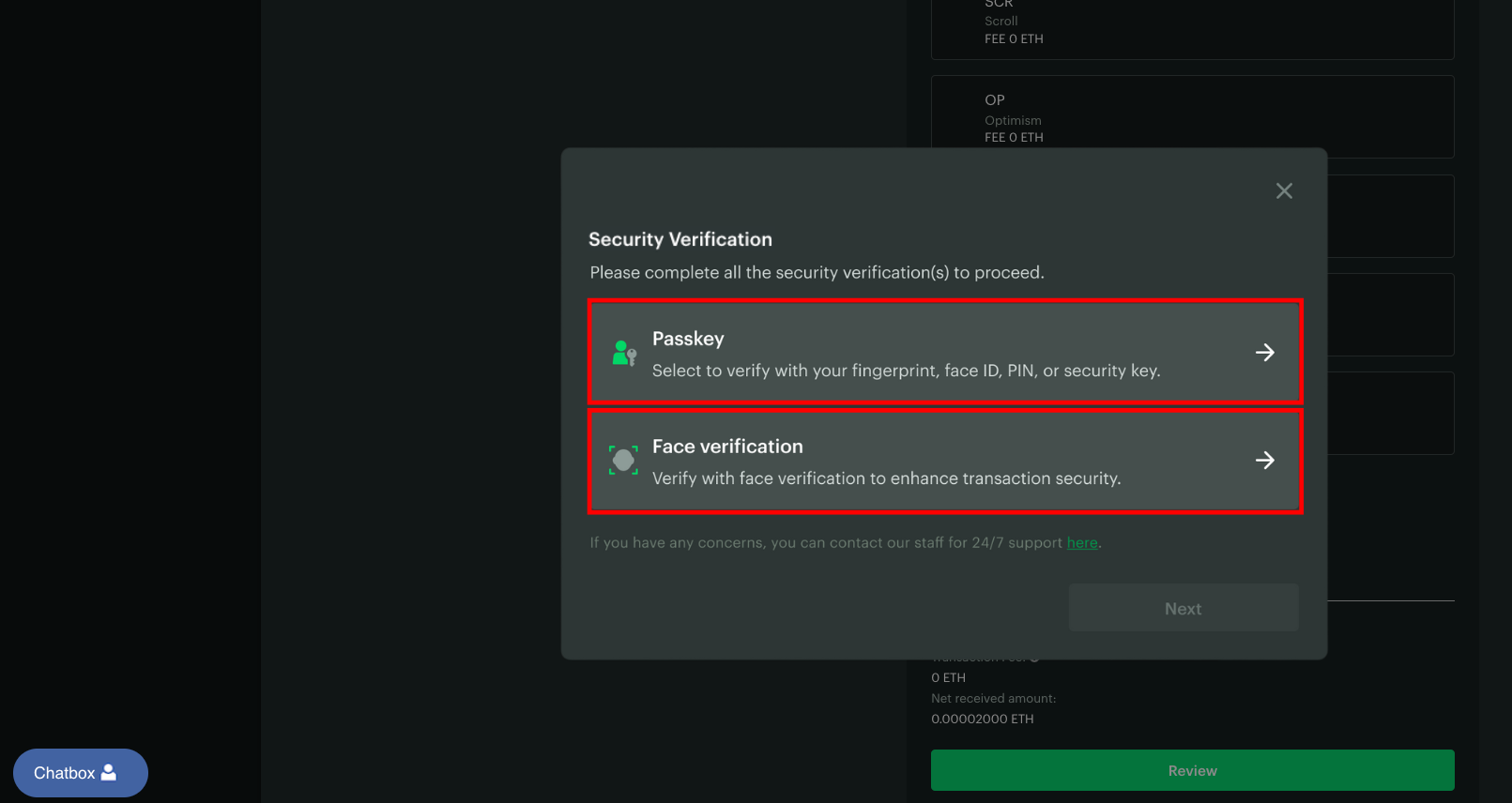 Example of security verification steps with face verification
6. After passing the security verification, click Next to confirm the crypto withdrawal transaction.
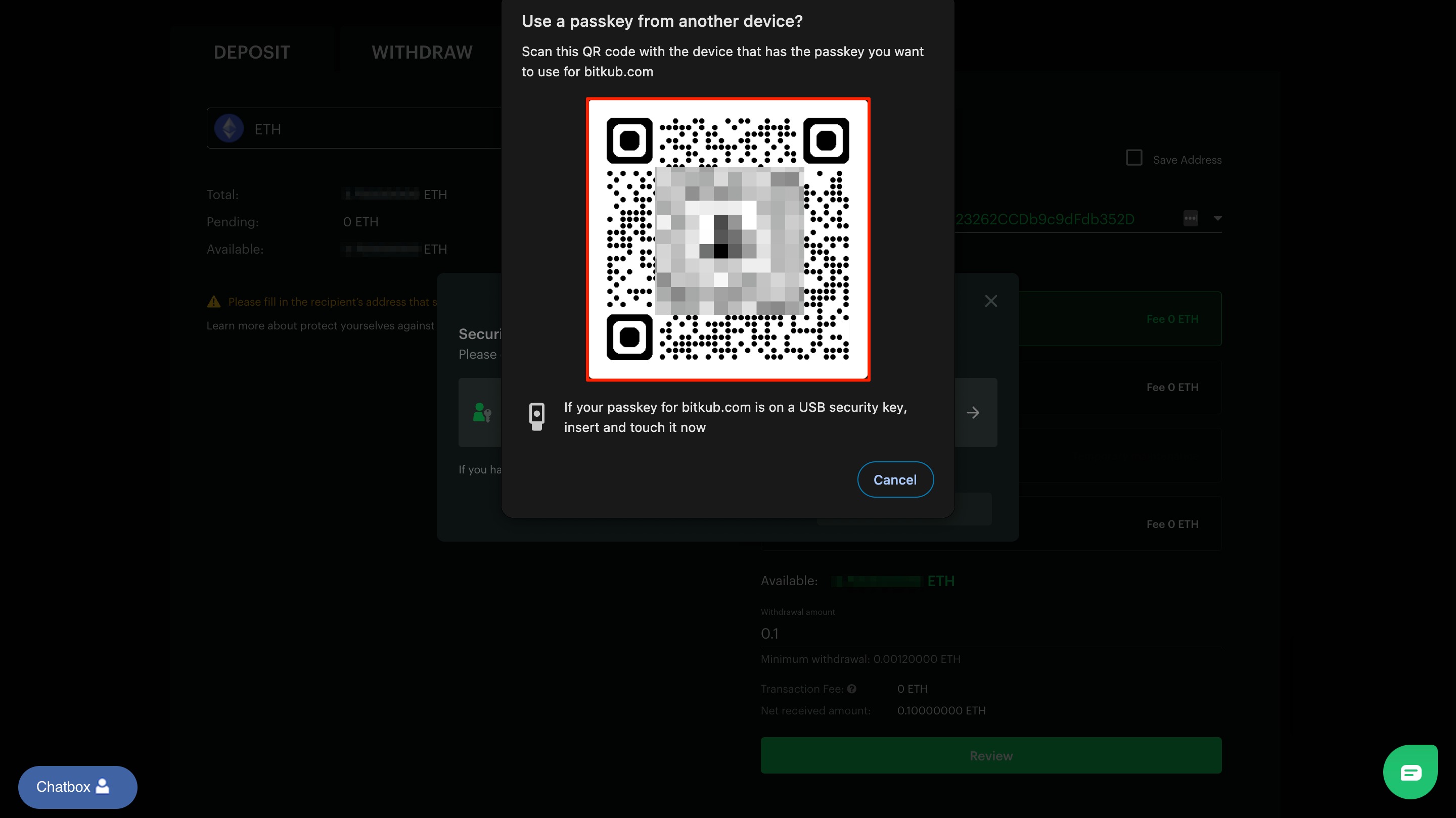
Remark: If your passkey is stored on another device, please use the device registered with your passkey to scan the QR code displayed on the website to confirm the transaction. (Please make sure that Bluetooth is enabled on both devices and that they are kept within close proximity during the process.)
7. Kindly allow some time for the confirmation from the blockchain to be completed. (You can check the details of the block confirmation of each token here.)
Attention:
- To align with the Bank of Thailand, the Securities and Exchange Commission, and law enforcement agencies in integrating measures to prevent and take account against mule accounts, cybercrime, and money laundering, please be informed that we are in the process of enhancing our service policies to align with the anti-mule account initiatives.
- The first measure, which has been implemented and is effective from 3 February 2025 onwards, concerns the approval process for digital asset withdrawals for new customers.
Customers whose Bitkub accounts were approved from 1 January 2025 onwards will have their digital asset withdrawals temporarily suspended from 3 February 2025 until they successfully complete identity verification per the Company’s procedures. The Company will inform the customers of the verification details via email.
Additionally, we are actively coordinating with relevant authorities to assess and implement further appropriate measures to enhance the effectiveness of our efforts in preventing and combating mule accounts, cybercrime, and money laundering. Please stay updated on forthcoming measures through the Company’s official communication channels.
For more details, please visit our official announcement here.
- 2-Factor Authentication (2FA) must be activated before making crypto withdrawals.
- You cannot cancel a crypto withdrawal by yourself if the transaction is already sent to the system. If you need to cancel, please contact our Customer Support for further assistance. However, please note that any crypto withdrawal that is already confirmed on the blockchain cannot be canceled.
- If your requested amount is lower than the minimum requirement*, you will see a pop-up "Min withdraw" with the message "Amount too low for withdrawal".
- You will receive notification of the crypto withdrawal transaction results via the email address associated with your transaction account.
Related articles
Was this article helpful?
That’s Great!
Thank you for your feedback
Sorry! We couldn't be helpful
Thank you for your feedback
Feedback sent
We appreciate your effort and will try to fix the article