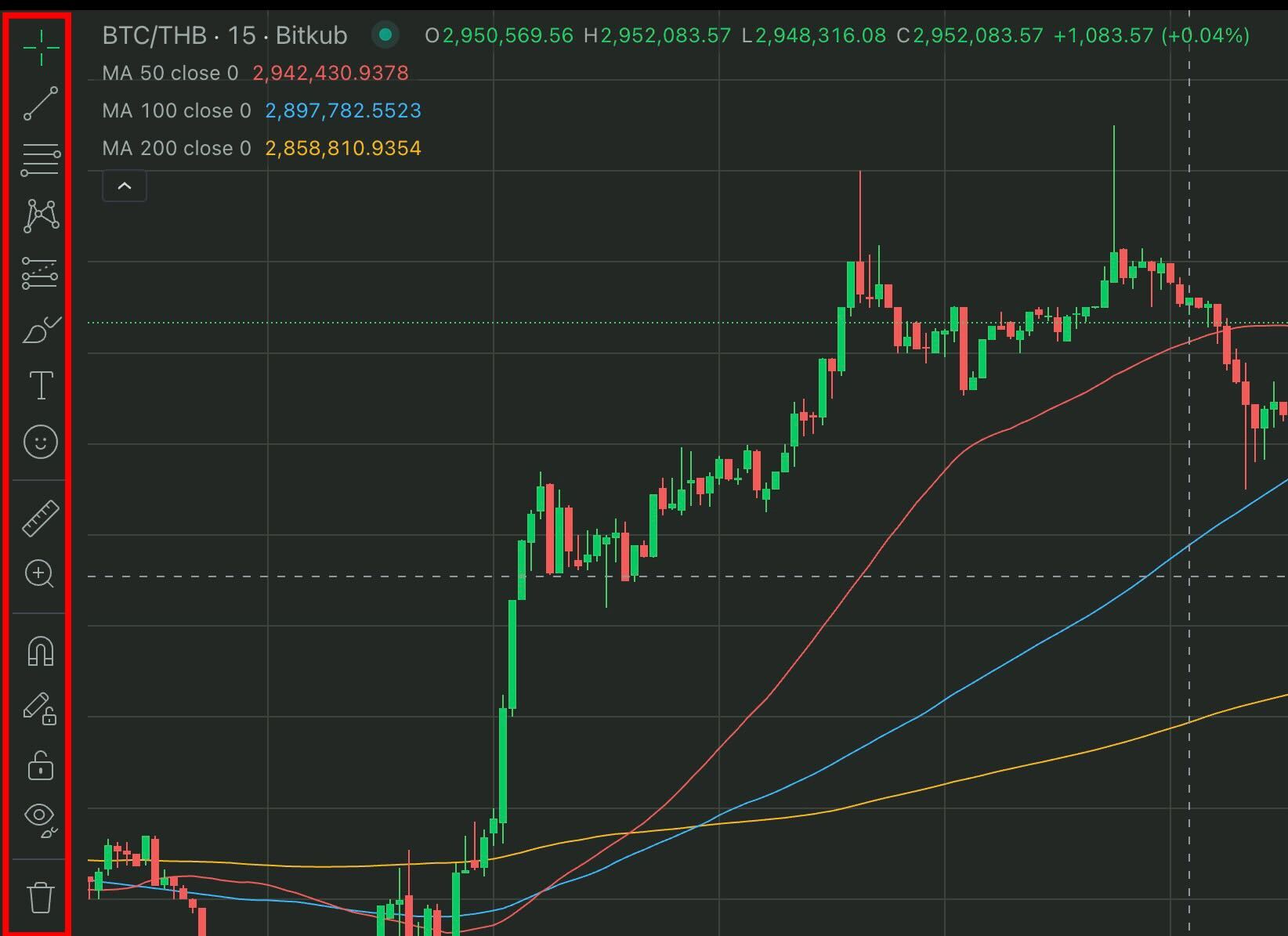
When you are on Bitkub’s market page, you will see the set of tools on the left side of the chart. These are the drawing tools you can use to draw on the chart to analyze the market’s trend as well as the price. There are a variety of tools to choose from, as follows.
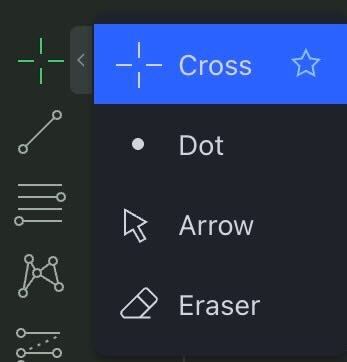
1. Cursor Tools: Used to point and see the values on the chart, which consist of 4 subtools.
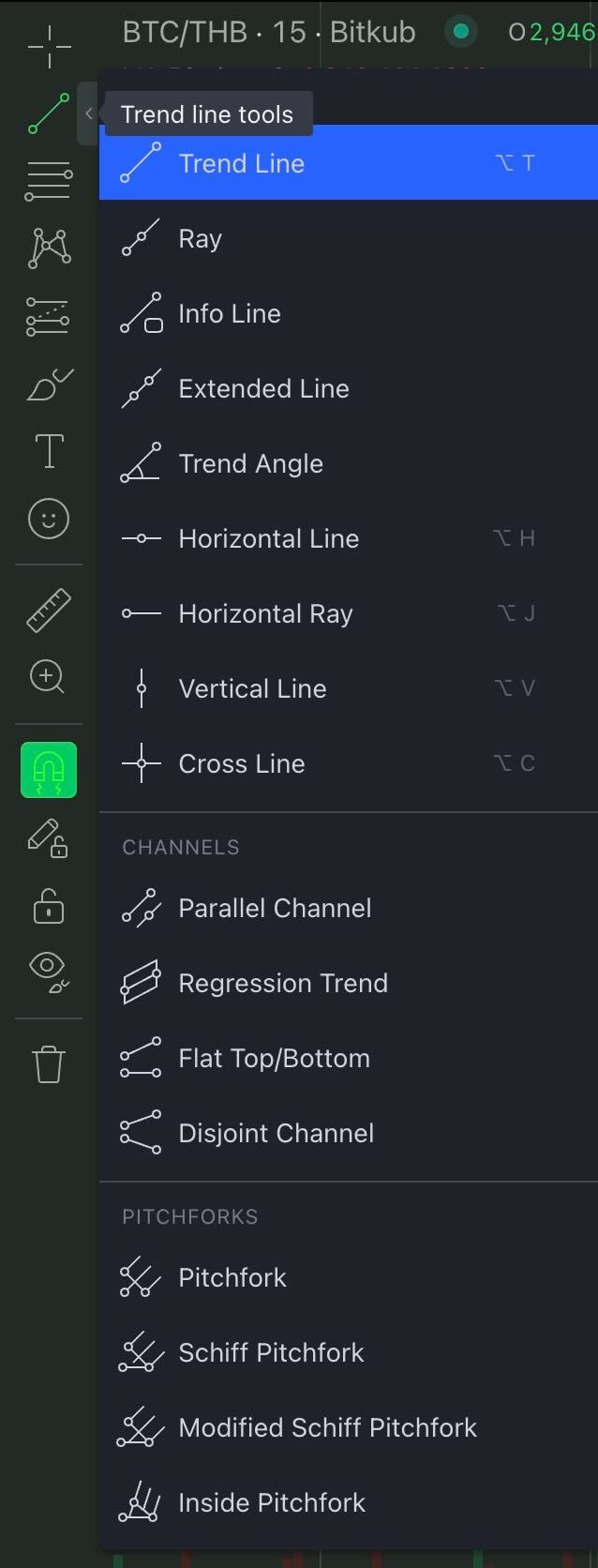
2. Trend Line Tools: Used to draw a trend line on the chart, which consists of 17 subtools.
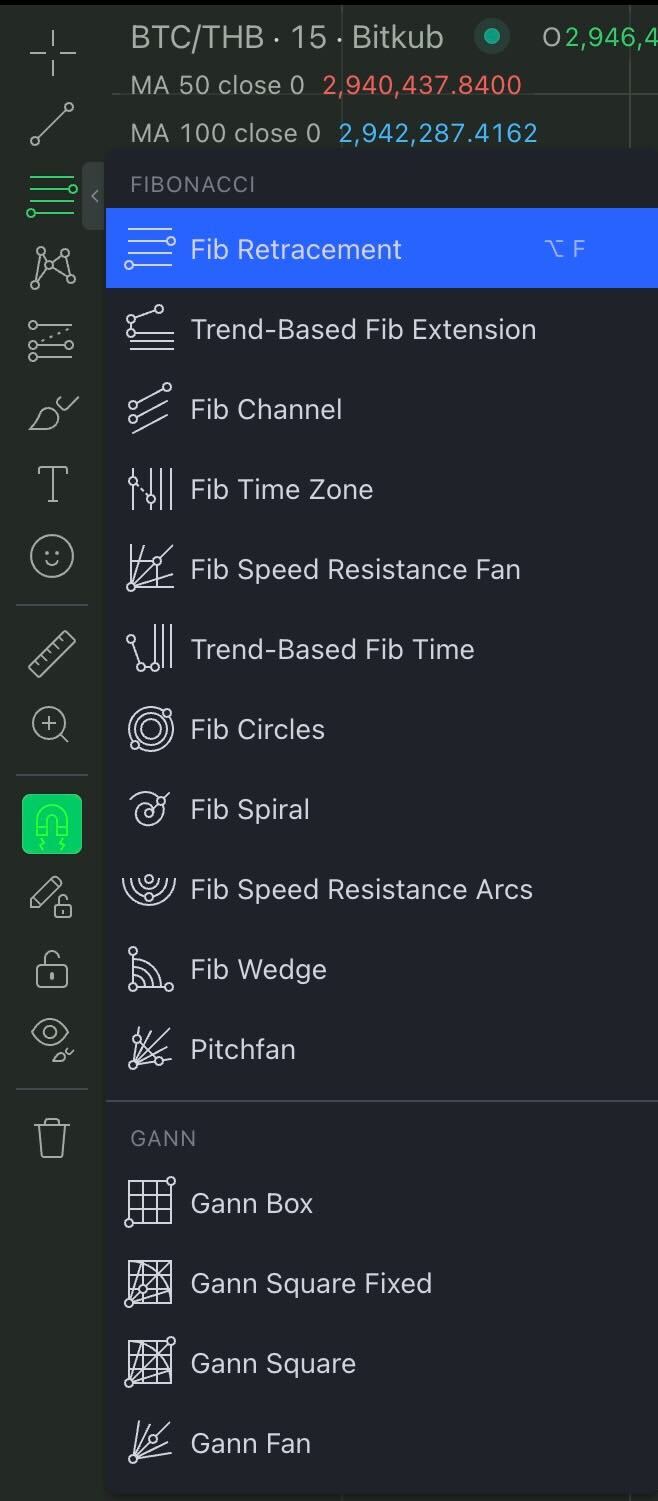
3. Fibonacci and Gann Tools: Used to draw Fibonacci and Pitchfork tools on the chart to create a trend channel, which consists of 15 subtools.
4. Pattern Tools: Each tool can be used to analyze the various chart patterns, which consist of 14 subtools.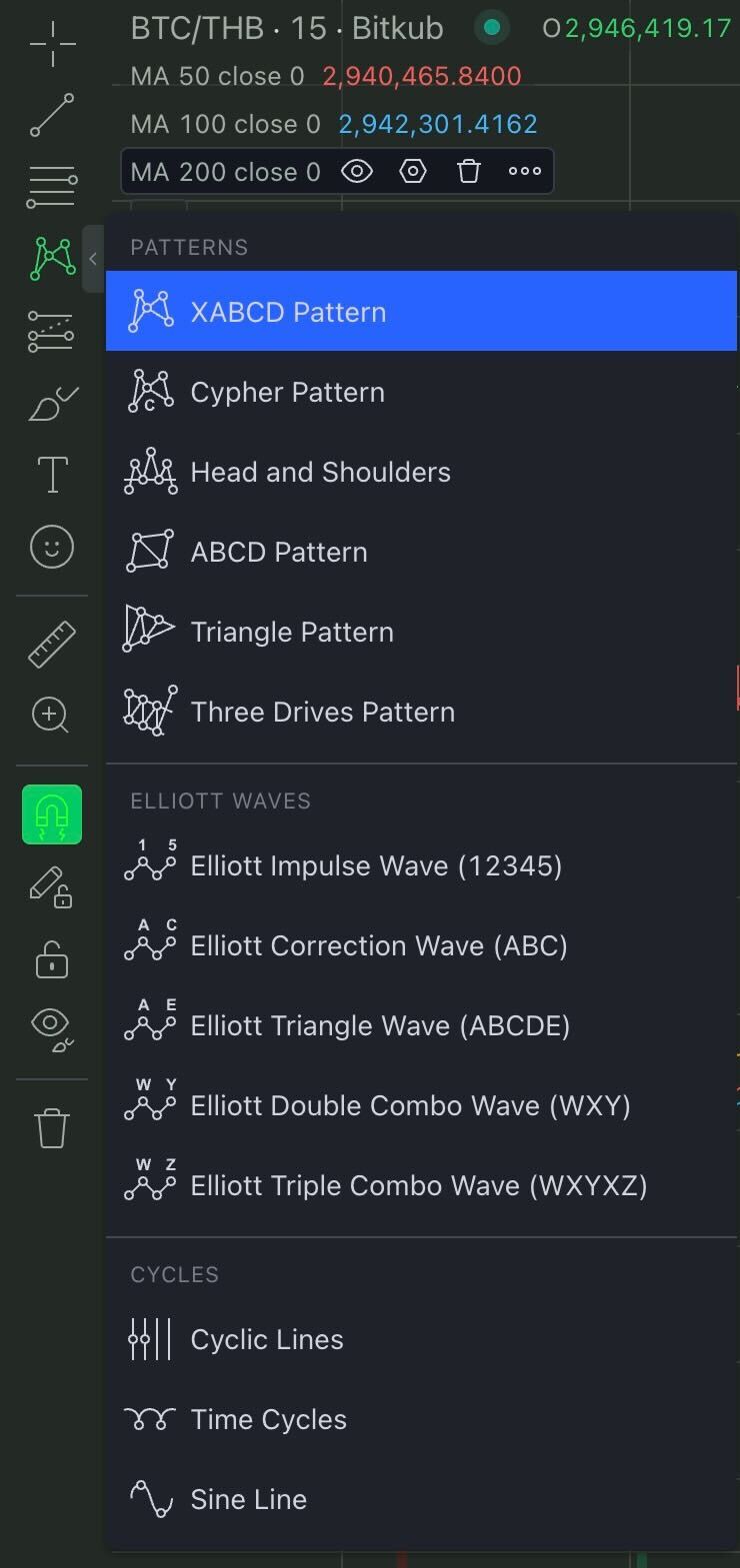
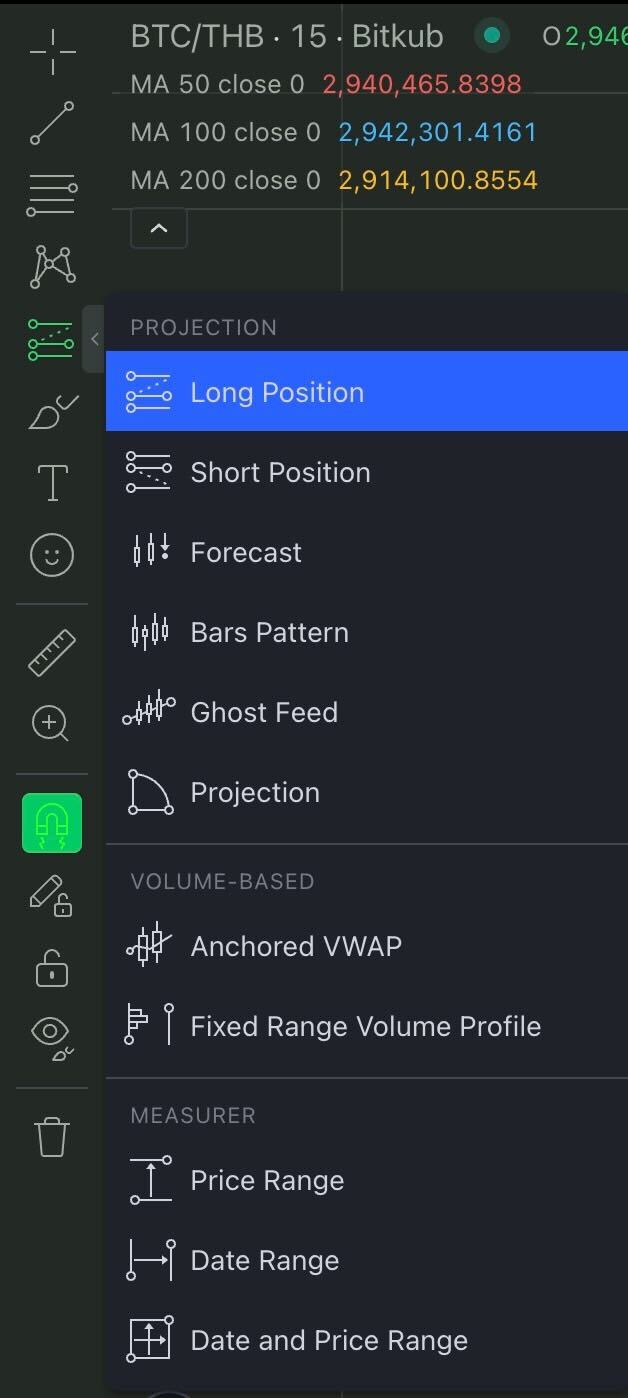
5. Projection Tools: Used to create patterns or draw a line to predict the price and trend of the chart, which consists of 11 subtools.
6. Brush and Shape Tools: Used to draw freely or annotate on the chart, which consists of 18 subtools.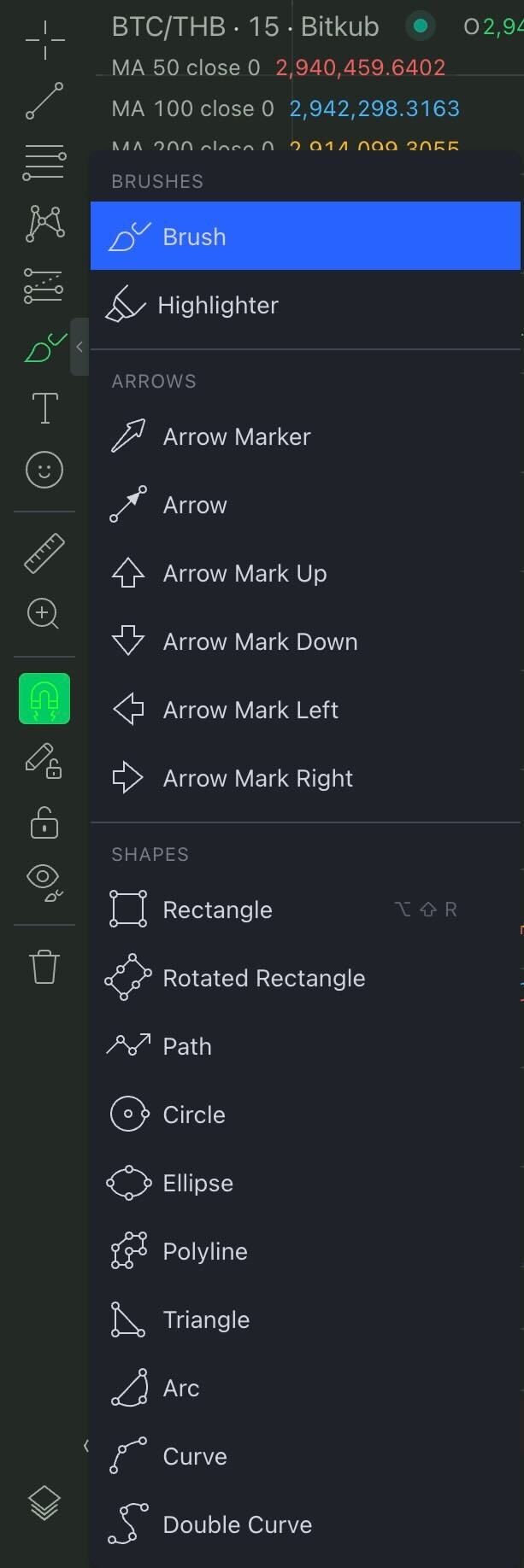
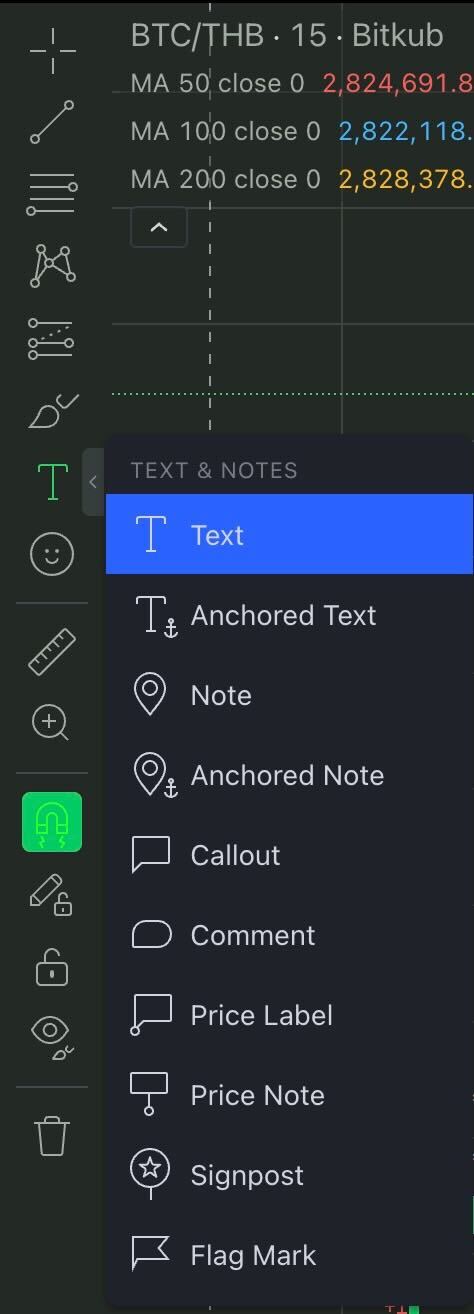
7. Text & Note Tools: Used to insert text and make annotations on the chart easily, which consist of 10 subtools.
8. Icon Tool: Used to insert various emojis on the chart.
9. Measure Tool: Used to estimate various values, such as change, %change, candlesticks, and dates.
10. Zoom In Tool: Used to enlarge the desired portion of the chart for detailed viewing.
11. Magnet Tool: Used to snap the cursor to the nearby point on the candlestick automatically when using various tools.
12. Stay in Drawing tool: Used to continuously use various drawing tools on the chart.
13. Lock All Drawing: Used to lock all drawing tools on the chart.
14. Hide All Drawing: Used to hide all drawing tools on the chart.
15. Remove Drawing Tool: Used to remove all drawing tools on the chart.

Drawing Tools from No. 8-15
Was this article helpful?
That’s Great!
Thank you for your feedback
Sorry! We couldn't be helpful
Thank you for your feedback
Feedback sent
We appreciate your effort and will try to fix the article